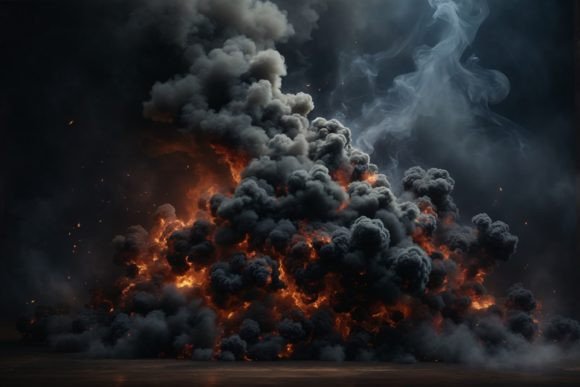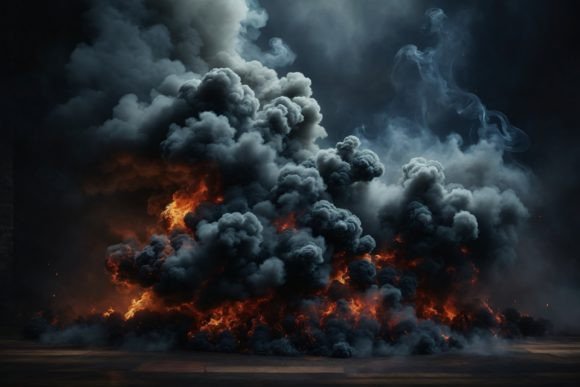
Mastering the Abstract Gradient Smoke Background for Professional Design Results
Visual texture is often the silent hero of compelling graphic design. While bold typography and vibrant colors grab immediate attention, it is the subtle interplay of light, shadow, and atmosphere that keeps a viewer engaged. This is where an Abstract Gradient Smoke Background becomes an indispensable asset. It offers a sophisticated, ethereal quality that can elevate everything from digital marketing campaigns to physical print products. However, many creators underestimate the technical nuances required to use these assets effectively. Understanding not just what this resource is, but how to integrate it correctly, separates amateur compositions from polished, professional work.
Understanding the Versatility of Smoke Textures
An abstract gradient smoke background is more than just a pretty picture of vapor. It is a complex blend of soft transitions, organic shapes, and dynamic lighting effects. The "gradient" aspect ensures that the image does not have harsh edges, allowing it to blend seamlessly with other design elements. The "smoke" component adds depth and movement, creating a sense of mystery or elegance depending on the color palette used.
The appeal lies in its adaptability. Because smoke is inherently formless, it does not compete with foreground content. Instead, it supports it. Whether you are designing wrapping paper that needs to feel luxurious, or creating clipping masks on text shapes for a modern website header, the fluid nature of smoke provides a perfect canvas. It works equally well for digital scrapbooking, where layers add realism, and for high-end fashion projects that require a moody, atmospheric backdrop.
Common Pitfalls When Selecting and Using Smoke Backgrounds
Despite their popularity, many designers make critical errors when incorporating smoke textures into their workflows. These mistakes often stem from overlooking technical specifications or misunderstanding how digital images translate to physical media. Avoiding these pitfalls is crucial for maintaining quality and efficiency.
Ignoring Resolution and DPI Requirements
One of the most frequent mistakes is using low-resolution images for print projects. A smoke background that looks crisp on a screen may appear pixelated or blurry when printed. For instance, if you are creating invitations or greeting cards, the standard web resolution of 72 DPI is insufficient. You need a file with at least 300 DPI to ensure sharp details and smooth gradients. Using a lower resolution can result in banding—visible lines in the gradient—which destroys the ethereal effect and makes the design look cheap.
Better Approach: Always verify the file details before downloading or purchasing. Look for high-resolution files, such as those sized at 3000×2000 px with a 300 DPI resolution. This ensures that whether you are printing stickers or large home decorations, the image retains its clarity and depth.
Misunderstanding Color Modes: RGB vs. CMYK
Most digital assets, including this Abstract Gradient Smoke Background, are provided in RGB color mode. This is ideal for websites, blog backgrounds, and social media content creation. However, a common misunderstanding occurs when designers use RGB files for professional printing without conversion. Printers use CMYK (Cyan, Magenta, Yellow, Key/Black). Colors that appear vibrant and glowing in RGB can look dull or shifted when printed if not properly managed.
Better Approach: If your project involves packaging, printable wallpapers, or papercraft, convert your file to CMYK in your design software before finalizing. Check for color shifts and adjust saturation if necessary. For purely digital uses like mockups or content creation, sticking to RGB is correct and preserves the luminosity of the smoke effects.
Overlooking Contrast and Readability
Smoke backgrounds are beautiful, but they can be tricky when it comes to text legibility. A common error is placing dark text over a dark section of the smoke, or light text over a light, misty area. This reduces contrast and makes the content difficult to read, negatively affecting user experience on websites or clarity on business cards.
Better Approach: Use the smoke background as a layer beneath your content, but employ techniques to enhance readability. You might add a subtle overlay, use a clipping mask to confine text to lighter areas, or apply a slight drop shadow to your typography. Test your design at different sizes to ensure the message remains clear against the swirling textures.
Practical Applications Across Industries
When used correctly, an abstract gradient smoke background can transform a wide variety of projects. Here is how different professionals can leverage this asset effectively:
- Graphic Designers and Marketers: Use the texture as a backdrop for mockups to give product presentations a premium feel. The soft gradients help the product stand out without distraction.
- Event Planners and Stationers: Incorporate the background into invitations and greeting cards. The elegant flow of smoke adds a touch of sophistication suitable for weddings, galas, or corporate events.
- Digital Creators and Bloggers: Apply the image as a blog background or header. Ensure the opacity is lowered if necessary to keep the focus on the written content. It also serves as an excellent texture for digital scrapbooking, adding depth to photo layouts.
- 3D Artists and Modelers: Use the high-resolution JPG as a texture map for 3D models. The gradient information can help simulate atmospheric effects or surface variations in rendered scenes.
- Crafters and Hobbyists: Print the background on high-quality paper for papercraft projects, stickers, or custom wrapping paper. The 300 DPI resolution ensures that the fine details of the smoke are preserved even after cutting and folding.
What to Check Before You Download or Buy
Before committing to a specific Abstract Gradient Smoke Background, take a moment to evaluate the file details. This simple step can save time and prevent costly reprints or redesigns.
- File Format: Ensure it is a high-quality JPG or, if available, PNG with transparency. JPGs are standard for photographic textures, but check for compression artifacts.
- Dimensions: Confirm the size is adequate for your largest intended output. A 3000×2000 px file is versatile for most medium-to-large prints and high-definition screens.
- Color Profile: Verify if the file is RGB. If you are printing, plan for conversion. If you are designing for screens, RGB is preferred for its wider color gamut.
- Licensing: Always check the usage rights. Ensure the license covers commercial use if you are creating products for sale, such as packaging or fashion projects.
By paying attention to these details, you ensure that your final output meets professional standards. The right background does not just fill space; it enhances communication, sets the mood, and elevates the perceived value of your work. Whether you are a beginner exploring graphic design or a seasoned pro refining a brand identity, mastering the use of abstract smoke textures is a valuable skill in your creative toolkit.