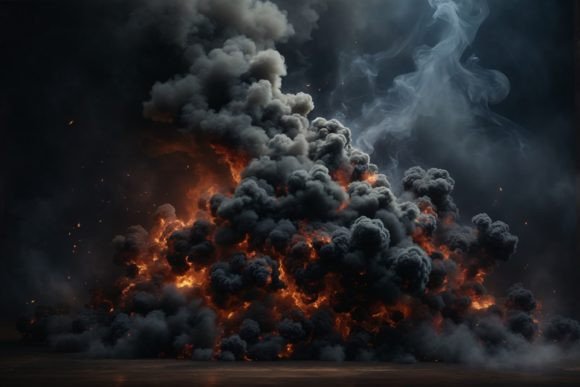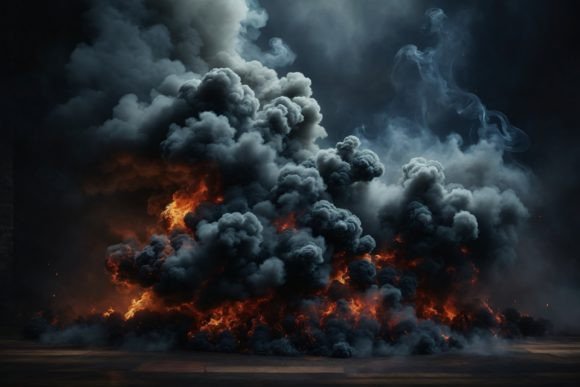
Mastering the Aesthetic of Black Smoke Wallpaper for Professional Design
In the world of digital design and interior styling, texture is often the unsung hero that separates amateur work from professional-grade visuals. Black Smoke Wallpaper has emerged as a versatile asset for creators who need depth, mystery, and high contrast in their projects. Whether you are designing a moody website header, creating a striking backdrop for product mockups, or printing custom wrapping paper, the quality of your source material dictates the final outcome. However, many users overlook critical technical details when selecting these assets, leading to pixelated prints or dull digital displays.
Understanding the nuances of smoke textures goes beyond simply picking a dark image. It requires an awareness of resolution, color profiles, and intended use cases. This guide addresses common pitfalls designers and hobbyists face when working with smoke backgrounds and provides actionable advice to ensure your projects maintain their integrity across all mediums.
The Trap of Low-Resolution Assets
One of the most frequent mistakes beginners make is downloading low-resolution images for high-stakes projects. You might find a stunning black smoke pattern online, but if it is optimized only for web thumbnails, it will fail miserably when scaled up. Using a low-DPI (dots per inch) file for printing invitations or large-format home decorations results in blurry edges and visible pixelation. This destroys the ethereal, fluid quality that makes smoke textures so appealing.
To avoid this, always verify the file specifications before downloading. A professional-grade Smoke Background should ideally be at least 300 DPI. For instance, a resolution of 3000×2000 pixels provides enough data to print clearly on standard paper sizes while remaining lightweight enough for web use. When you start with a high-resolution JPG, you preserve the subtle gradients and wispy details that define realistic smoke. This ensures that whether you are applying it as a clipping mask on text shapes or using it as a texture for 3D models, the visual fidelity remains sharp.
Misunderstanding Color Profiles: RGB vs. CMYK
Digital screens and physical printers speak different languages. Most smoke backgrounds, including those designed for digital scrapbooking or blog backgrounds, are delivered in RGB (Red, Green, Blue) color mode. This is perfect for websites, social media content creation, and digital invitations. However, a common oversight occurs when creators take these RGB files directly to a professional printer for packaging or greeting cards without conversion.
Printers typically use CMYK (Cyan, Magenta, Yellow, Key/Black). If you send an RGB black smoke image to a CMYK printer without proper adjustment, the deep blacks may appear muddy or washed out, and the subtle gray tones of the smoke can shift unexpectedly. While many modern print-on-demand services handle this conversion automatically, being aware of the discrepancy allows you to preview how your design will look in print. For best results, check if your design software allows you to soft-proof the colors or convert the profile manually if you are aiming for specific tonal accuracy in fashion projects or high-end brochures.
Overlooking Contrast and Readability
Black smoke is inherently dark and dense. A significant error in graphic design is placing light-colored text or intricate logos directly over the darkest parts of the smoke without adequate contrast management. While the aesthetic might look dramatic in isolation, it can render information unreadable. This is particularly problematic for business cards, event invitations, or website headers where communication is key.
The solution lies in strategic layering. Use the smoke background as a base, but employ blending modes or opacity adjustments to create space for your content. For example, if you are using the texture for a clipping mask on text shapes, ensure the text itself is bold and light-colored to stand out against the swirling dark patterns. Alternatively, add a subtle gradient overlay or a semi-transparent shape behind your text to separate it from the busy texture. This approach maintains the moody atmosphere of the Black Smoke Wallpaper while ensuring your message is clear and accessible.
Ignoiring Licensing and Usage Rights
Not all smoke backgrounds are created equal regarding usage rights. Many creators assume that if an image is free to download, it is free to use commercially. This misconception can lead to legal issues, especially for entrepreneurs selling printable wallpapers, stickers, or packaging designs. Always review the license associated with the asset. Some files are for personal use only, such as digital scrapbooking or home decoration, while others permit commercial applications like client projects or product resale.
Before integrating a smoke texture into a client’s branding or a product line, confirm that the license covers commercial distribution. Reputable sources provide clear terms. Ignoring this step can result in takedown notices or fines, which far outweigh the cost of purchasing a properly licensed, high-quality asset. Treat your resources with the same professionalism you apply to your design work.
Maximizing Versatility Across Projects
A high-quality smoke background is not a one-trick pony. Its utility extends far beyond simple desktop wallpapers. By understanding its properties, you can leverage it across a wide array of creative endeavors. Here are practical ways to integrate this texture effectively:
- Mockup Backdrops: Use the dark, neutral tones to highlight products like jewelry, electronics, or cosmetics. The smoke adds depth without distracting from the item.
- Textured Overlays: Apply the image as a layer in graphic design software to add grit and realism to flat vector illustrations or fashion sketches.
- Printing and Crafts: With a 300 DPI resolution, the file is suitable for printing on cardstock for invitations, gift tags, or even custom wrapping paper. The high contrast ensures the design pops on physical media.
- Digital Content: Bloggers and social media managers can use the texture as a background for quotes or announcements, ensuring text is placed in lighter areas for readability.
- 3D Modeling: Game developers and 3D artists can map the texture onto surfaces to create atmospheric environments, fog effects, or abstract architectural elements.
Final Checks Before Implementation
Before finalizing your project, take a moment to review your usage of the smoke texture. Zoom in to 100% to check for artifacts or compression noise. Ensure that the composition balances the dark elements with your foreground content. If you are printing, do a test print on the actual material you plan to use, as paper texture can interact with the ink differently than screen display suggests.
By paying attention to resolution, color profiles, contrast, and licensing, you transform a simple image file into a powerful design tool. Black Smoke Wallpaper offers a sophisticated, modern aesthetic that elevates everything from digital scrapbooking pages to professional marketing materials. Avoid the common shortcuts, respect the technical requirements, and let the depth of the smoke enhance rather than overpower your creative vision.